> For the complete documentation index, see [llms.txt](https://docs.gremsy.com/llms.txt). Markdown versions of documentation pages are available by appending `.md` to page URLs; this page is available as [Markdown](https://docs.gremsy.com/gimbals/general/gimbal-configuration/gimbal-tunning/stiffness-tunning.md).
# Stiffness Tunning
Stiffness setting has a significant impact on the performance of the Pixy S. This setting adjusts the degrees to which the gimbal tries to correct for unwanted camera movement and hold the camera.
### GENERAL METHOD
## Manual Tunning
#### METHOD 1
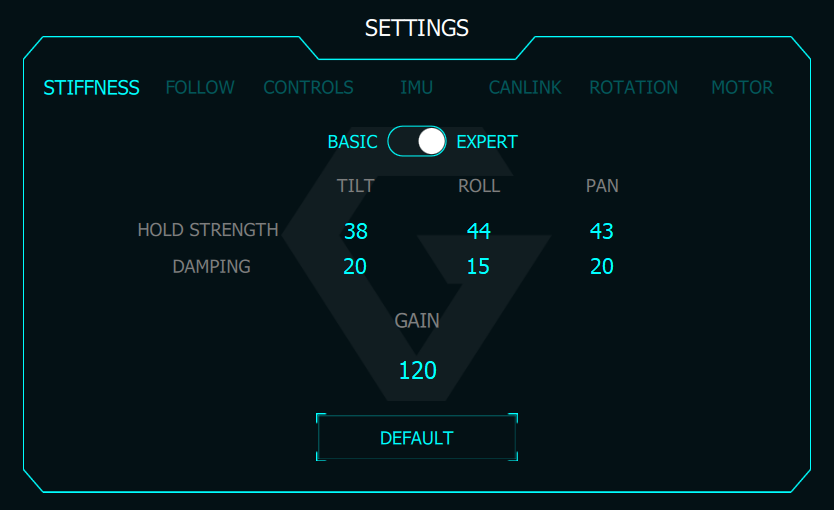
Stiffness Expert: Keep all axes Hold Strength at 30 values.\
GAIN: 120
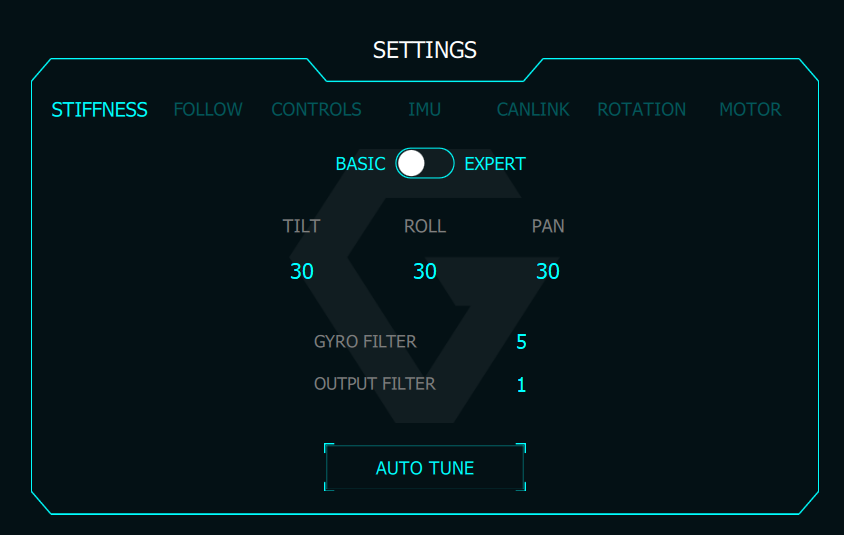
Stiffness Basic
Start with a low value of 10 for all axes then turn motors ON. Slowly increase this setting until you feel an oscillation in each axis, then reduce it until the oscillation subsides. You can touch the camera to feel the oscillation during tuning. Increase the stiffness setting 5-10 points at a time until oscillation appears then reduce 5 points until oscillation subsides.
Stiffness Basic Default Settings
**STEP 01 - TILT STIFFNESS**
Slowly increase this setting until you feel an oscillation in the tilt axis, then reduce the setting until the oscillation subsides. Make sure there is no vibration when tilting the camera up and down and when moving the gimbal in any orientation.
**STEP 02 - ROLL STIFFNESS**
Slowly increase this setting until you feel an oscillation in the roll axis, then reduce the setting until the oscillation subsides. Pick the Pixy S up and make sure there is no vibration when you move the gimbal around.
**STEP 03 - PAN STIFFNESS**
Slowly increase this setting until you feel an oscillation in the pan axis, then reduce the setting until the oscillation subsides. Tilt the Pixy S about 20 degrees from the verticality and make sure that no vibrations are presented.
#### METHOD 2
Stiffness Basic: Keep all axes Hold Strength at 10 values.
Stiffness Expert:
Start with a low value of 10 for all axes then turn motors ON. Slowly increase this setting until you feel an oscillation in each axis, then reduce it until the oscillation subsides. You can touch the camera to feel the oscillation during tuning. Increase the stiffness setting 5-10 points at a time until oscillation appears then reduce 5 points until oscillation subsides.
Stiffness Expert Default Settings
**STEP 01 - TILT HOLD STRENGTH**
Slowly increase this setting until you feel an oscillation in the tilt axis, then reduce the setting until the oscillation subsides. Make sure there is no vibration when tilting the camera up and down and when moving the gimbal in any orientation.
**STEP 02 - ROLL HOLD STRENGTH**
Slowly increase this setting until you feel an oscillation in the roll axis, then reduce the setting until the oscillation subsides. Pick the Pixy S up and make sure there is no vibration when you move the gimbal around.
**STEP 03 - PAN HOLD STRENGTH**
Slowly increase this setting until you feel an oscillation in the pan axis, then reduce the setting until the oscillation subsides. Tilt the Pixy S about 20 degrees from the verticality and make sure that no vibrations are presented.
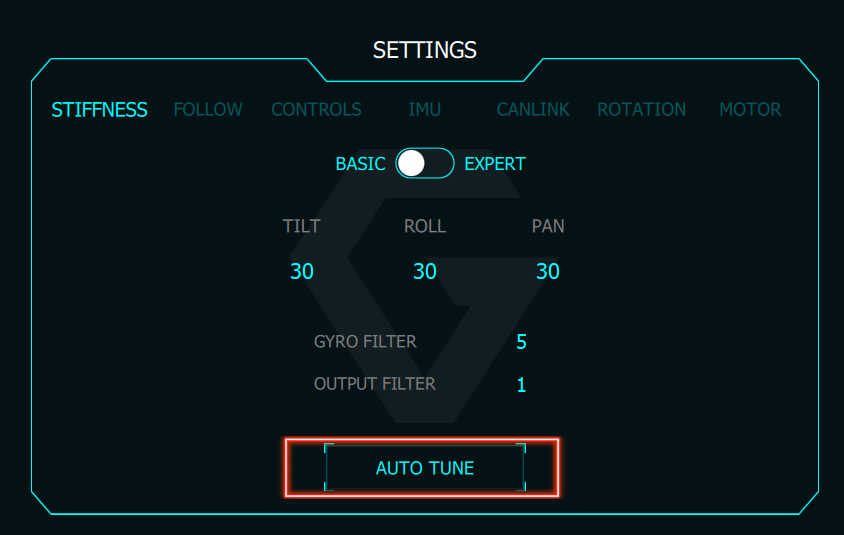
## Autotune Tunning
Autotune Tunning Button
---
# Agent Instructions
This documentation is published with GitBook. GitBook is the documentation platform designed so that both humans and AI agents can read, navigate, and reason over technical content effectively. Learn more at gitbook.com.
## Querying This Documentation
If you need additional information that is not directly available in this page, you can query the documentation dynamically by asking a question.
Perform an HTTP GET request on the current page URL with the `ask` query parameter, and the optional `goal` query parameter:
```
GET https://docs.gremsy.com/gimbals/general/gimbal-configuration/gimbal-tunning/stiffness-tunning.md?ask=&goal=
```
`ask` is the immediate question: it should be specific, self-contained, and written in natural language.
`goal` is optional and describes the broader end goal you are ultimately trying to accomplish on behalf of the user. GitBook uses it to tailor the answer towards what is most useful for that goal.
The response will contain a direct answer to the question and relevant excerpts and sources from the documentation.
Use this mechanism when the answer is not explicitly present in the current page, you need clarification or additional context, or you want to retrieve related documentation sections.