> For the complete documentation index, see [llms.txt](https://docs.gremsy.com/llms.txt). Markdown versions of documentation pages are available by appending `.md` to page URLs; this page is available as [Markdown](https://docs.gremsy.com/accessories/quick-release/s-port.md).
# S-PORT
QUICK RELEASE: S-PORT (MIO QUICK RELEASE)
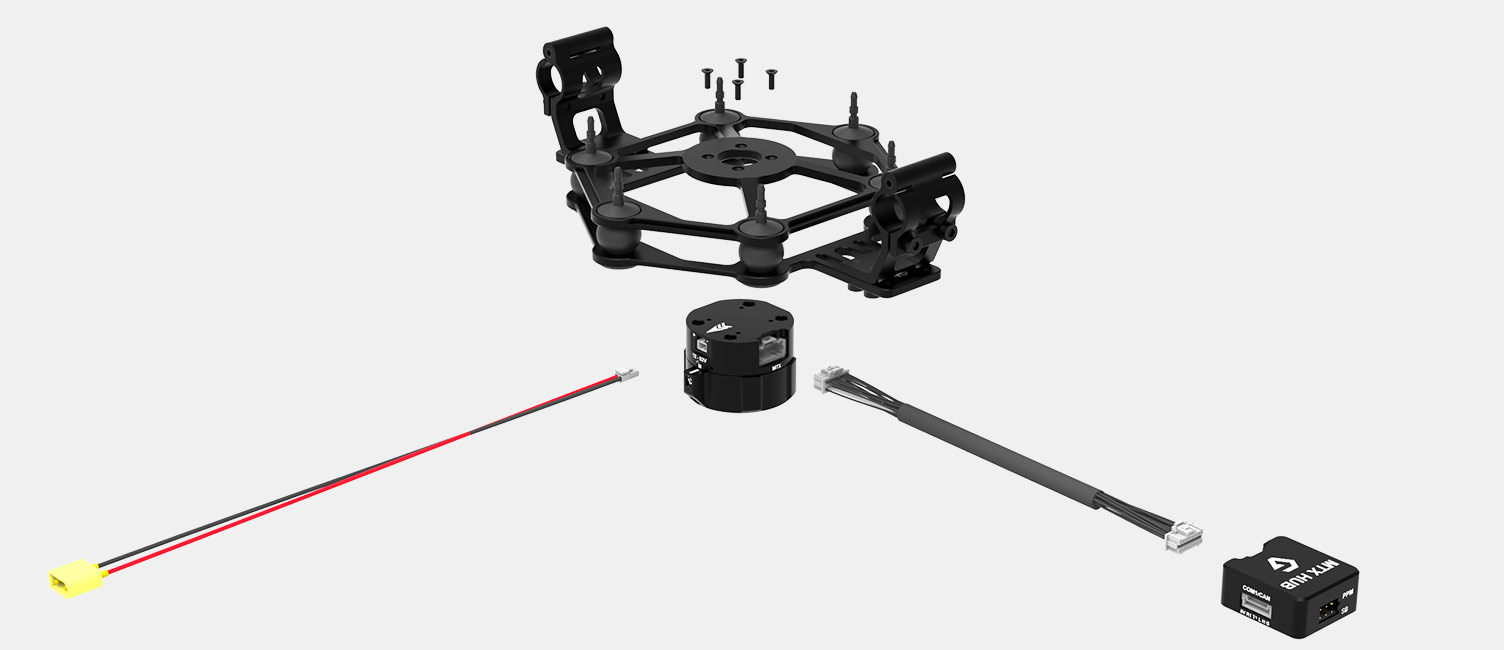
S-Port also known as Gremsy [Mio Quick Release](https://gremsy.com/online-store/zio-categories/zio-accessories-categories/s-port). A standard Quick Release across multiple light products enables the hot swap functionality of payloads or gimbals, thereby enhancing the optimization of drone systems for diverse photogrammatical missions such as mapping, inspection, surveying, etc. and efficiency during these missions.
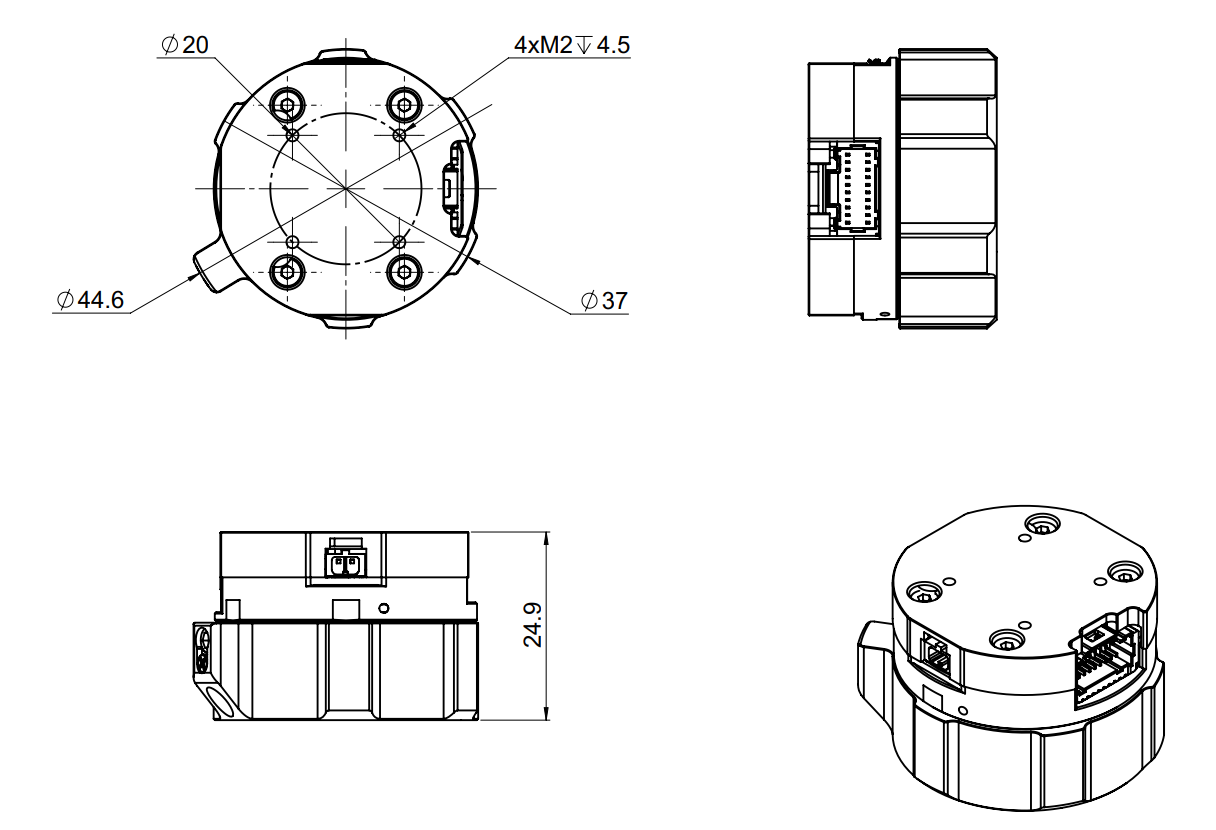
S-PORT DIMENSION
## This product is compatible with
{% content-ref url="/spaces/nikHUDUd2JXqkOsnOi7l/pages/Gm58o5xpHrxTRMUprt8O" %}
[VIO](/payloads/vio.md)
{% endcontent-ref %}
{% content-ref url="/spaces/nikHUDUd2JXqkOsnOi7l/pages/V2I9IqlI8uuFf2WQjuGB" %}
[ZIO](/payloads/zio.md)
{% endcontent-ref %}
{% content-ref url="/spaces/nikHUDUd2JXqkOsnOi7l/pages/K2MkaIwftdbkbppLRzPy" %}
[Pixy LR S-Port V1](/gimbals/pixy-lr-s-port-v1.md)
{% endcontent-ref %}
{% content-ref url="/spaces/nikHUDUd2JXqkOsnOi7l/pages/3WFFHFbWyfFj6FdQDzw2" %}
[MIO](/gimbals/mio.md)
{% endcontent-ref %}
## I/O CONNECTION
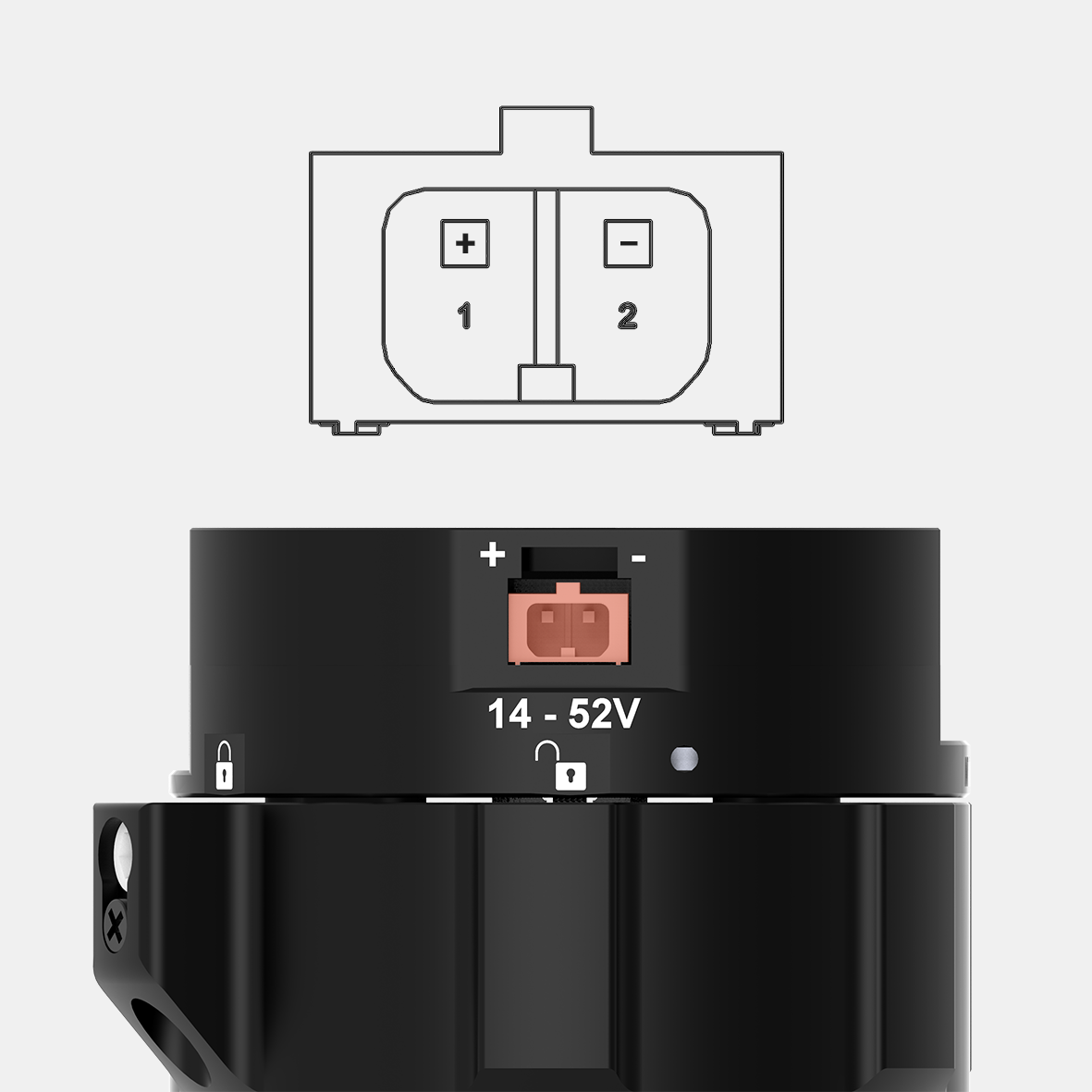
#### 1. POWER:
Input range: 14.5V-52V \
Connector type: JST SM02B-SFKH-TF
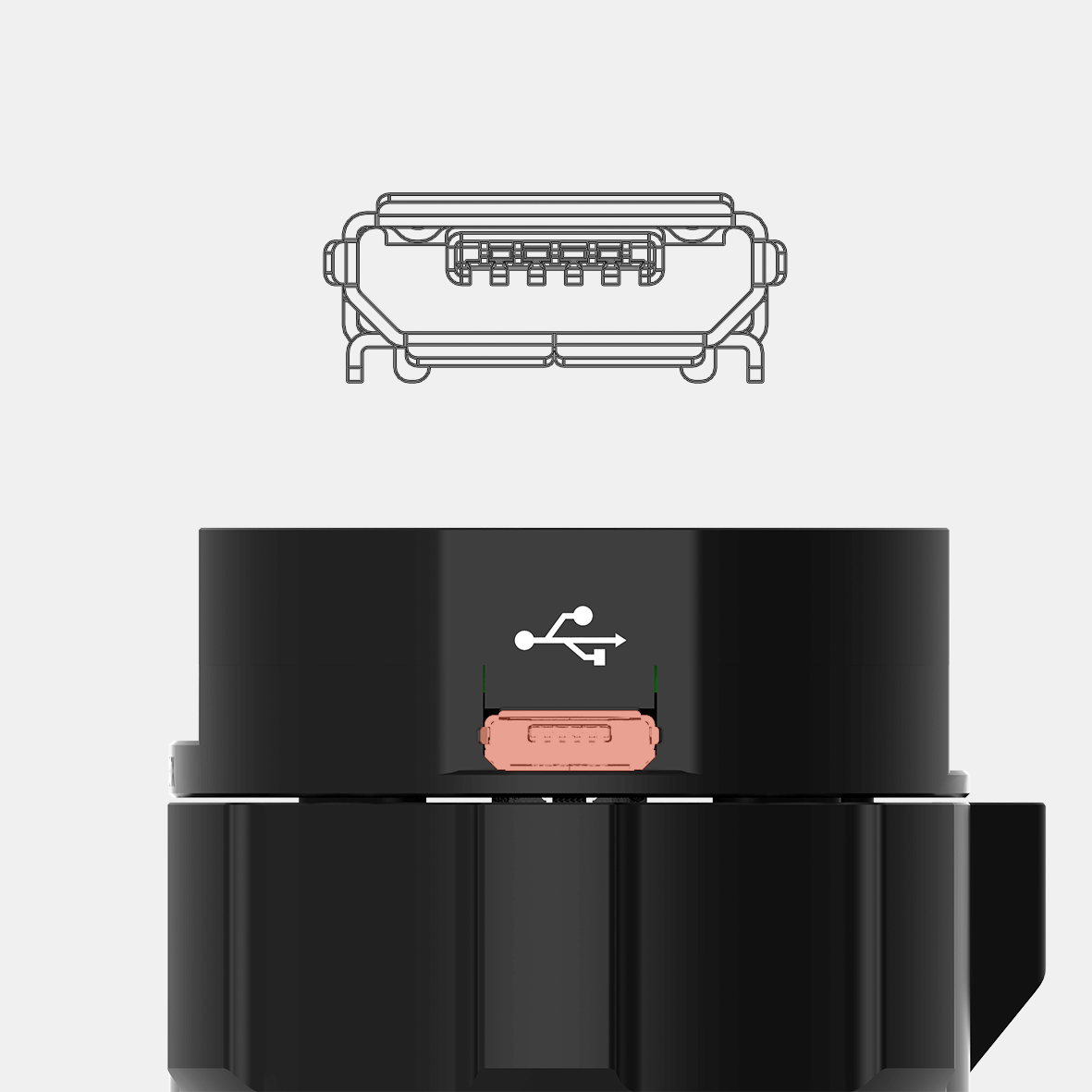
#### 2. USB:
Use to interface with computer or upgrade firmware.\
Connector type: Micro USB type B
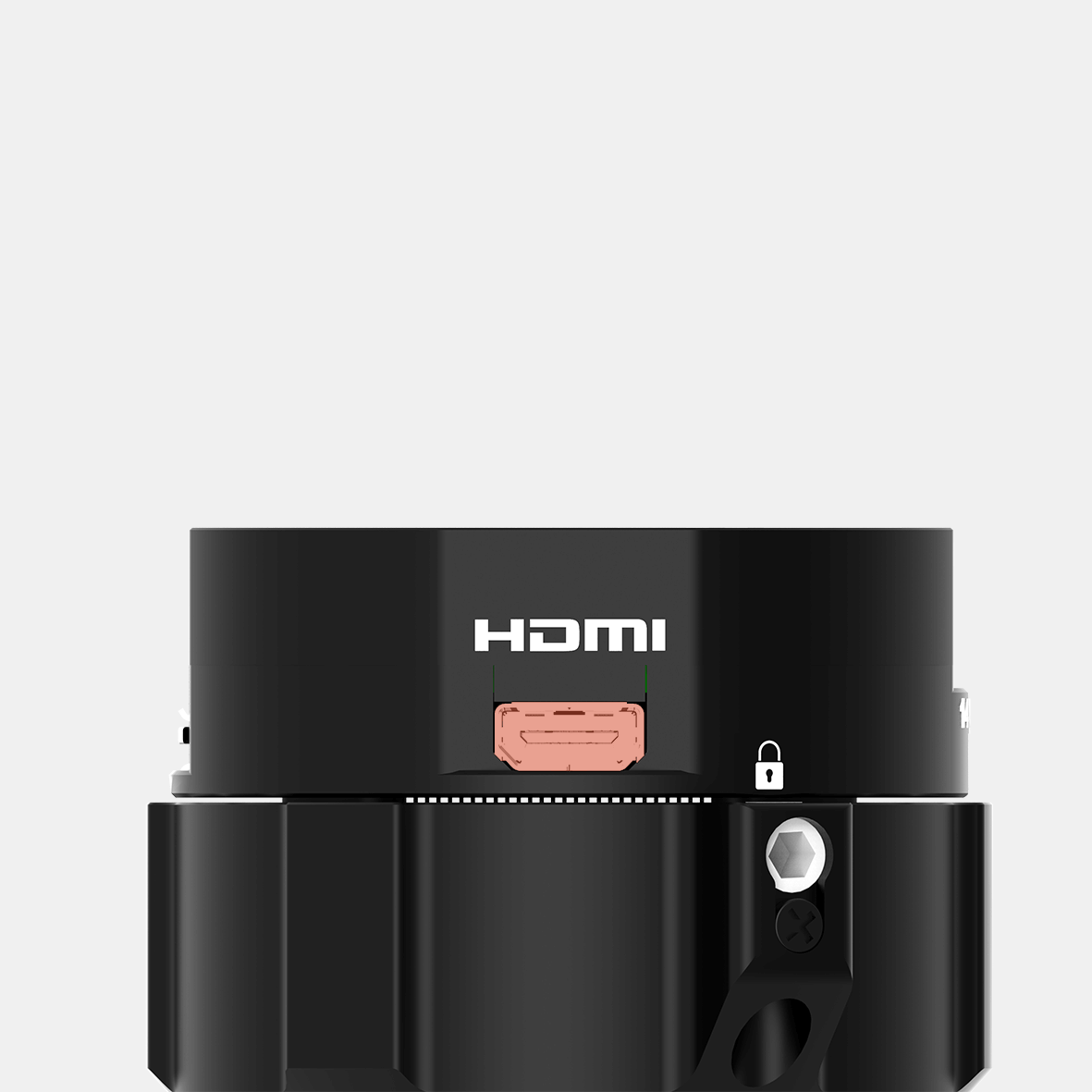
#### 3. HDMI:
Use to output video from the camera\
Connector type: HDMI micro
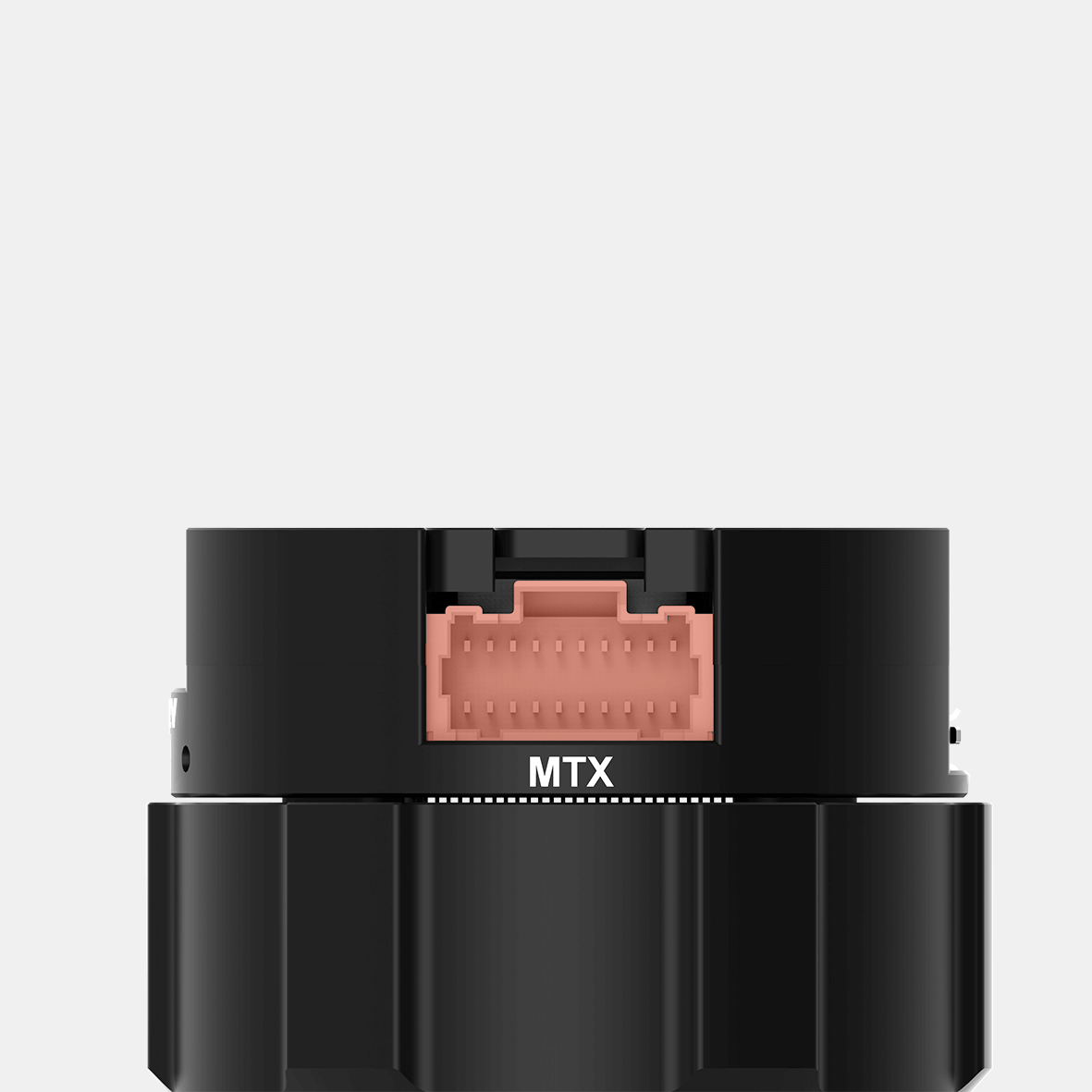
#### 4. MTX:
Multiplex port that combines AUX , COM1/COM2/COM4 ,CAN, SBUS,PPM into a single connector.
In order to access these interfaces easily, it is necessary to use MTX hub.
Connector type: 3 pin, 2.54mm pitch
## CONNECT QUICK RELEASE
**STEP 1:** The marks on the top part and bottom part must be aligned. The mark on the ring should be aligned with the unlocked icon as shown in the first picture.
**STEP 2:** Keep everything aligned and attach the bottom part to the top part.
**STEP 3:** Rotate the ring clockwise until the mark on the ring aligned with the locked icon.
## DISCONNECT QUICK RELEASE
**STEP 1:** Rotate the ring counterclockwise.
**STEP 2:** When the mark on the ring aligned with the unlock icon, the MIO can be detached from the top part of the Hyper Quick Release.
{% hint style="danger" %}
**Important:** Please ensure the connector is aligned correctly before connecting. An incorrect connection may bend or damage the connector pins.
{% endhint %}
## MOUNTING HYPER QUICK RELEASE
* Using 4xM2.5 to mount the top part onto the frame or damping isolator.
* Pay attention to the arrow on the hyper quick release, which indicates the home or forward position of the gimbal.
* Connect the power cable to the Hyper Quick Release.
* Connect the MTX cable to the Hyper Quick Release and MTX hub.
---
# Agent Instructions
This documentation is published with GitBook. GitBook is the documentation platform designed so that both humans and AI agents can read, navigate, and reason over technical content effectively. Learn more at gitbook.com.
## Querying This Documentation
If you need additional information that is not directly available in this page, you can query the documentation by asking a question.
Perform an HTTP GET request on the following URL with the `ask` and `goal` query parameters:
```
GET https://docs.gremsy.com/accessories/quick-release/s-port.md?ask=&goal=
```
`ask` is the immediate question: it should be specific, self-contained, and written in natural language.
`goal` is what the user is ultimately trying to achieve, the reason they need the answer. Sharing it helps GitBook give you a better, more relevant answer. A goal is most helpful when it describes the outcome the user wants rather than restating the question. For example, with `ask=how do I create an API token`, a goal like `automate deployments from our CI pipeline` lets GitBook tailor the answer to that use case.
The response will contain a direct answer to the question and relevant excerpts and sources from the documentation.
Use this mechanism when the answer is not explicitly present in the current page, you need clarification or additional context, or you want to retrieve related documentation sections.
.png?alt=media&token=42525465-04cd-4759-a2ea-426f5e72149e)
.png?alt=media&token=10deef87-8e07-4977-af9a-daa91c00bc1e)