> For the complete documentation index, see [llms.txt](https://docs.gremsy.com/llms.txt). Markdown versions of documentation pages are available by appending `.md` to page URLs; this page is available as [Markdown](https://docs.gremsy.com/accessories/quick-release/pixy-quick-release.md).
# PIXY QUICK RELEASE
Pixy Quick Release (QR) of Swift enables quick and easy assembly with various platforms through high-speed connector pins. With onboard HDMI and AUX ports, signals from cameras go on live for direct monitoring and evaluation.
## This product is compatible with
{% content-ref url="/spaces/nikHUDUd2JXqkOsnOi7l/pages/DJ5f7LWBcVfXmoNnRXTW" %}
[Broken mention](broken://spaces/nikHUDUd2JXqkOsnOi7l/pages/DJ5f7LWBcVfXmoNnRXTW)
{% endcontent-ref %}
{% content-ref url="/spaces/nikHUDUd2JXqkOsnOi7l/pages/eB1tTKHyguZ5yiqu6ivC" %}
[Broken mention](broken://spaces/nikHUDUd2JXqkOsnOi7l/pages/eB1tTKHyguZ5yiqu6ivC)
{% endcontent-ref %}
{% content-ref url="/spaces/nikHUDUd2JXqkOsnOi7l/pages/ZxgJXLFKNGiaZLTFWZ4e" %}
[PIXY WE](/gimbals/pixy-we.md)
{% endcontent-ref %}
### QUICK RELEASE CONNECT
### QUICK RELEASE DISCONNECT
## I/O CONNECTION
Pixy Quick Release Connectors & Pinouts
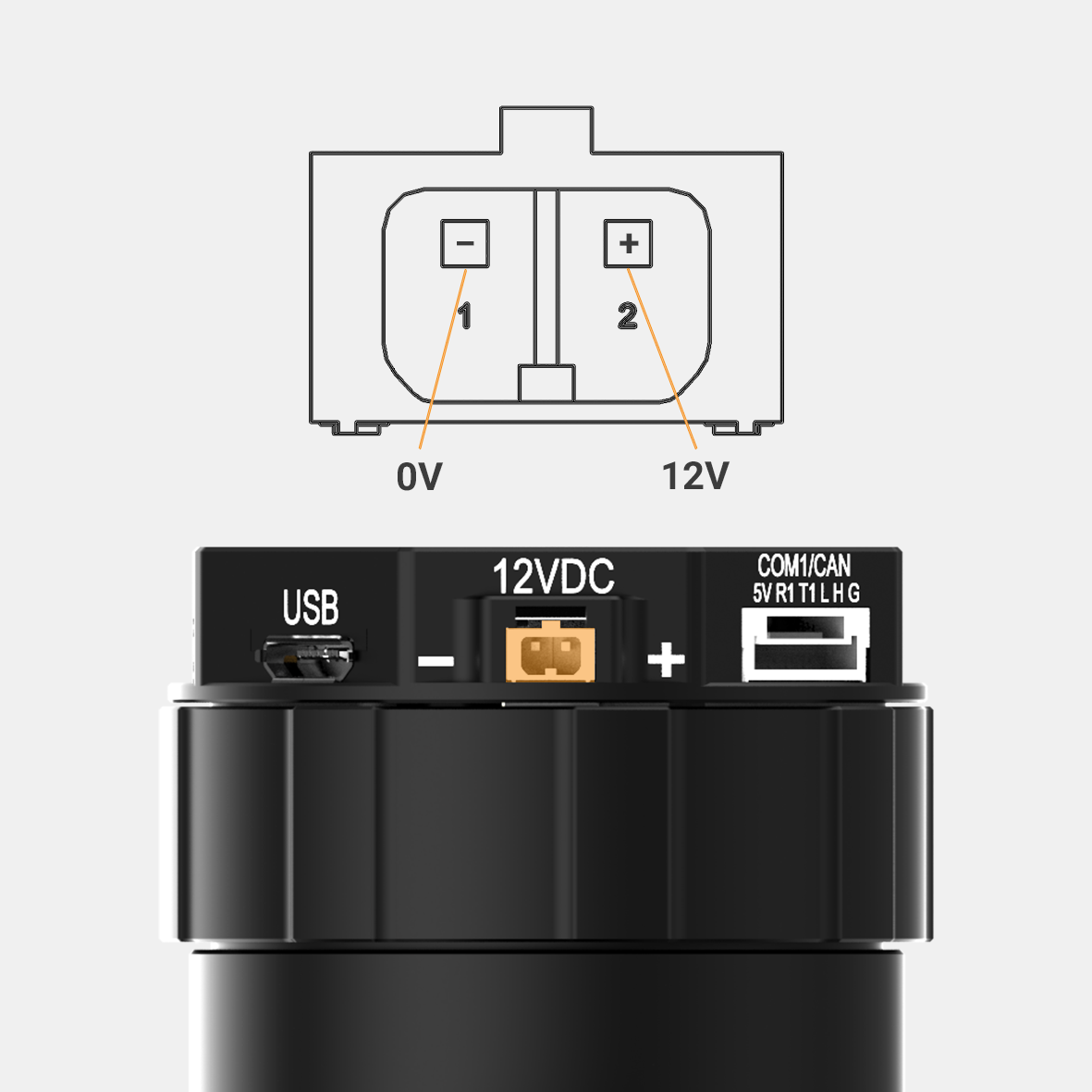
### POWER
12V input. Connect the stable 12V output from the provided UBEC to this connector.\
The UBEC allows 14V-52V input range and output 12V/5A
Connector type: JST SM02B-SFKH-TF
### COM1/CAN
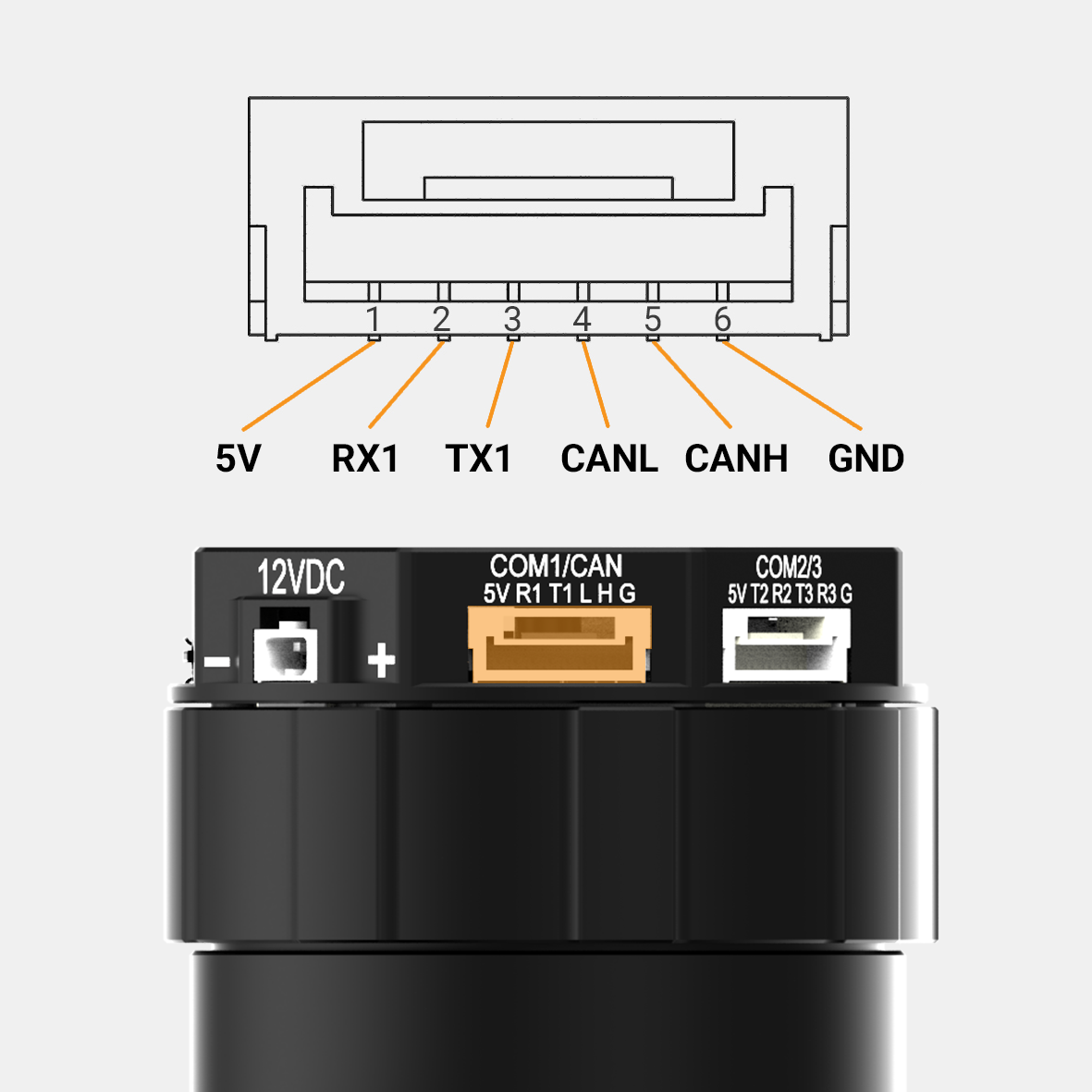
COM1 is a serial protocol (UART) port which is used to interface with a computer via USB. CAN is to interface with DJI Flight controller.
Connector type: JST SM06B-GHS-TB(LF)(SN)
### COM2/COM3
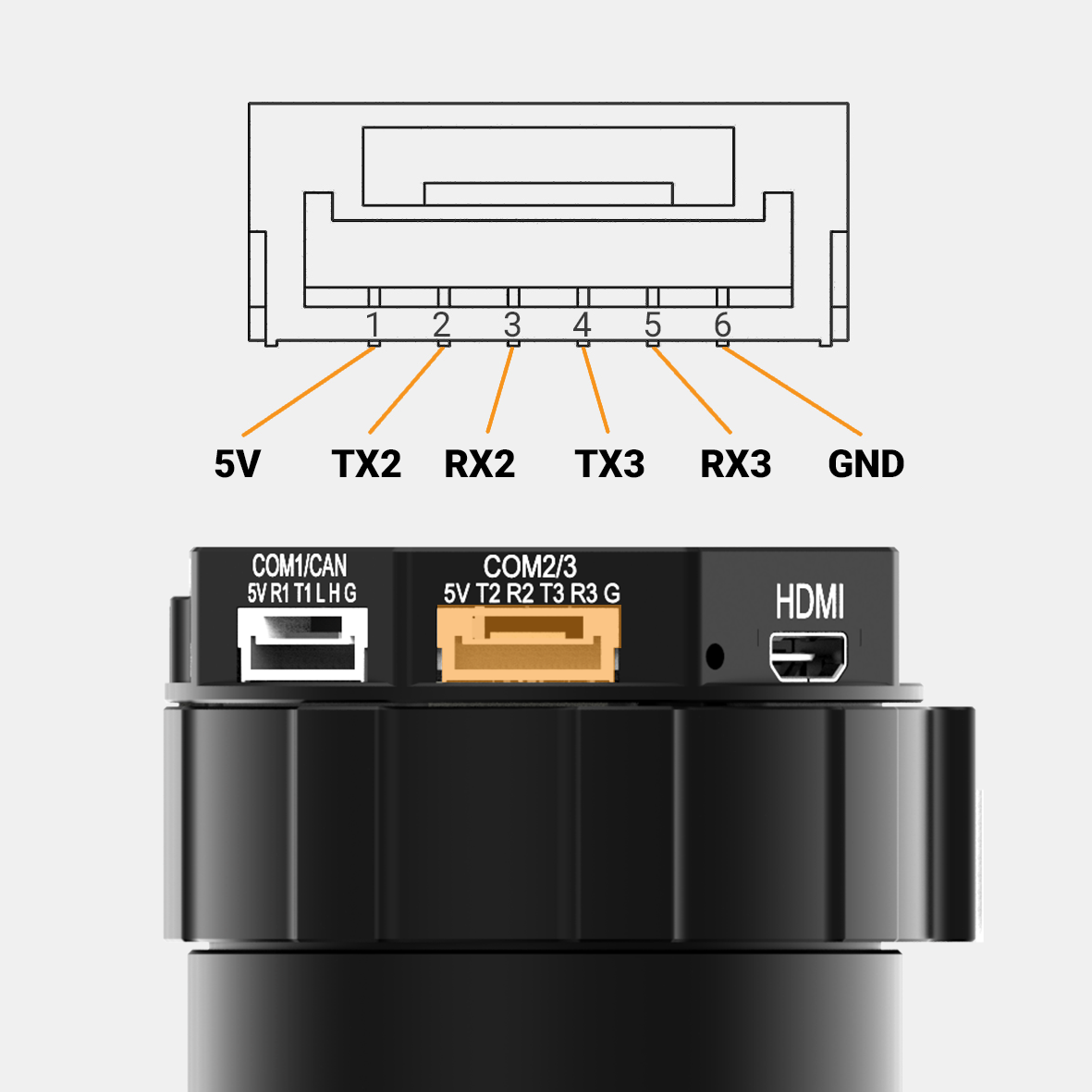
COM2/COM3 is serial protocol (UART) port, this port is internally connected to COM2/COM3 port on the gimbal controller. COM2 is to interface with Pixhawk via Mavlink protocol or other modules that use serial protocol (UART). COM3 is reserved for future use.
Connector type: JST SM06B-GHS-TB(LF)(SN)
### SBUS/PPM
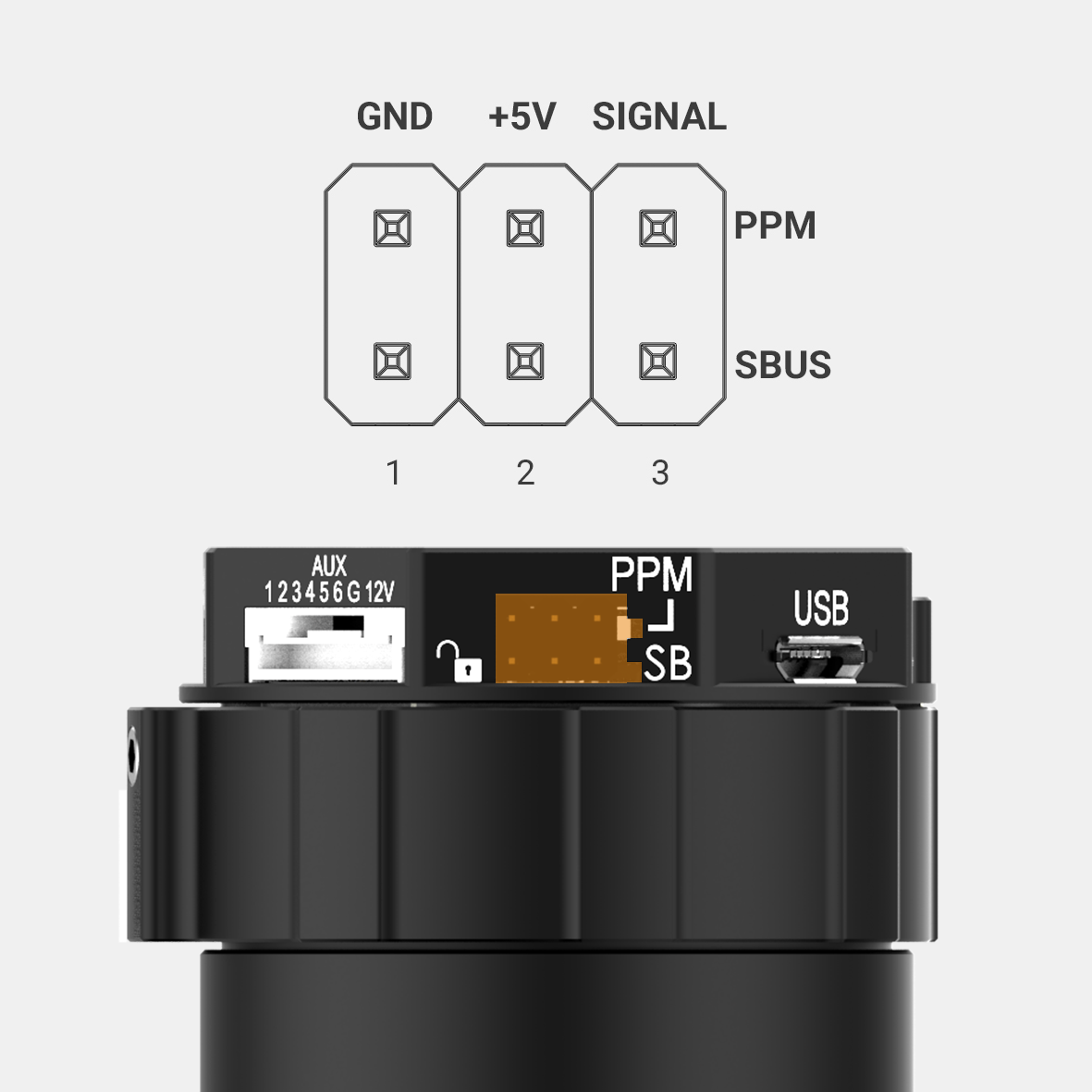
To interface with SBUS/PPM receiver. This port is internally connected to SBUS/PPM port on the gimbal controller.
Connector type: 3 pin, 2.54mm pitch
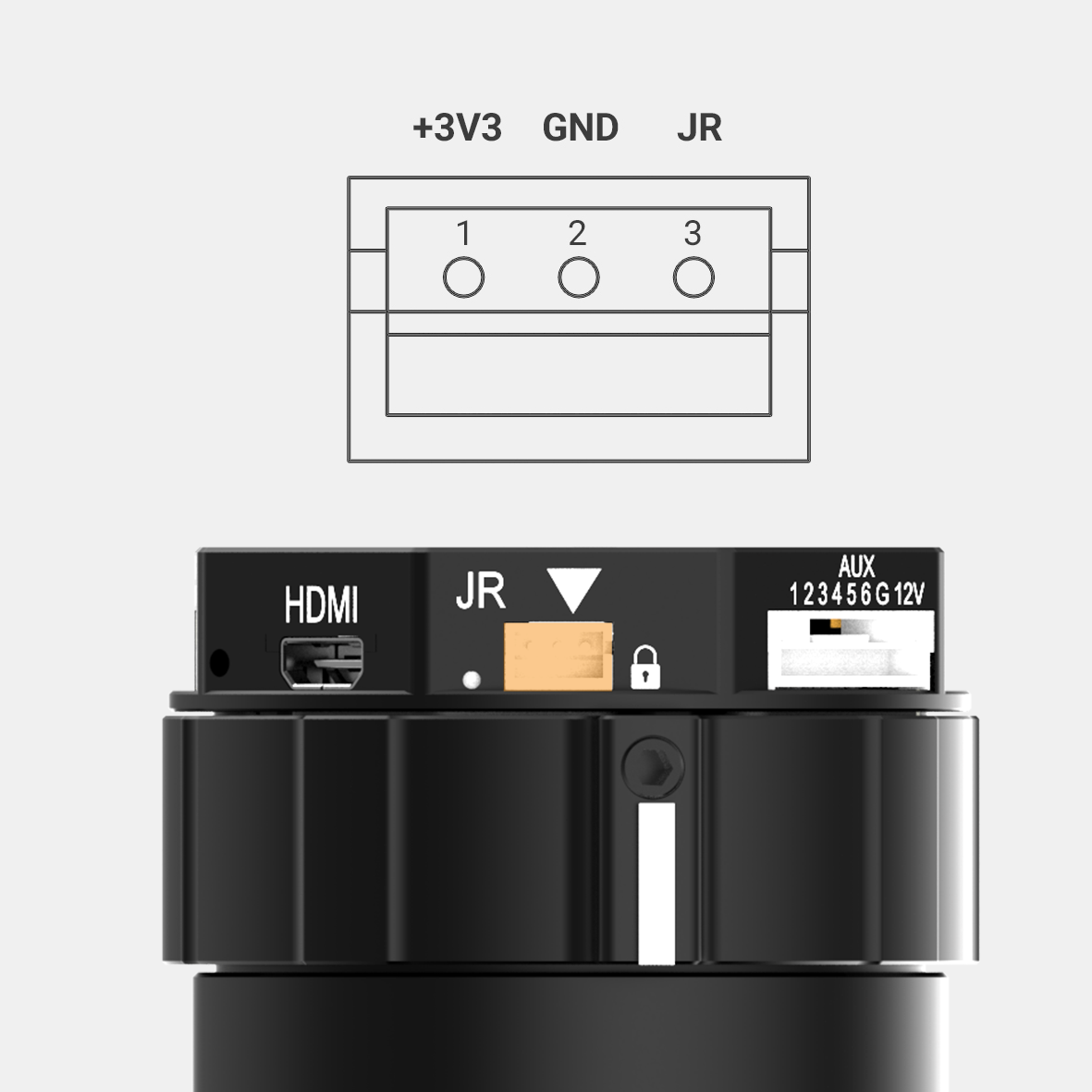
### JR
to interface with JR/SPEKTRUM satellite receiver.
Connector type: JST S3B-ZR
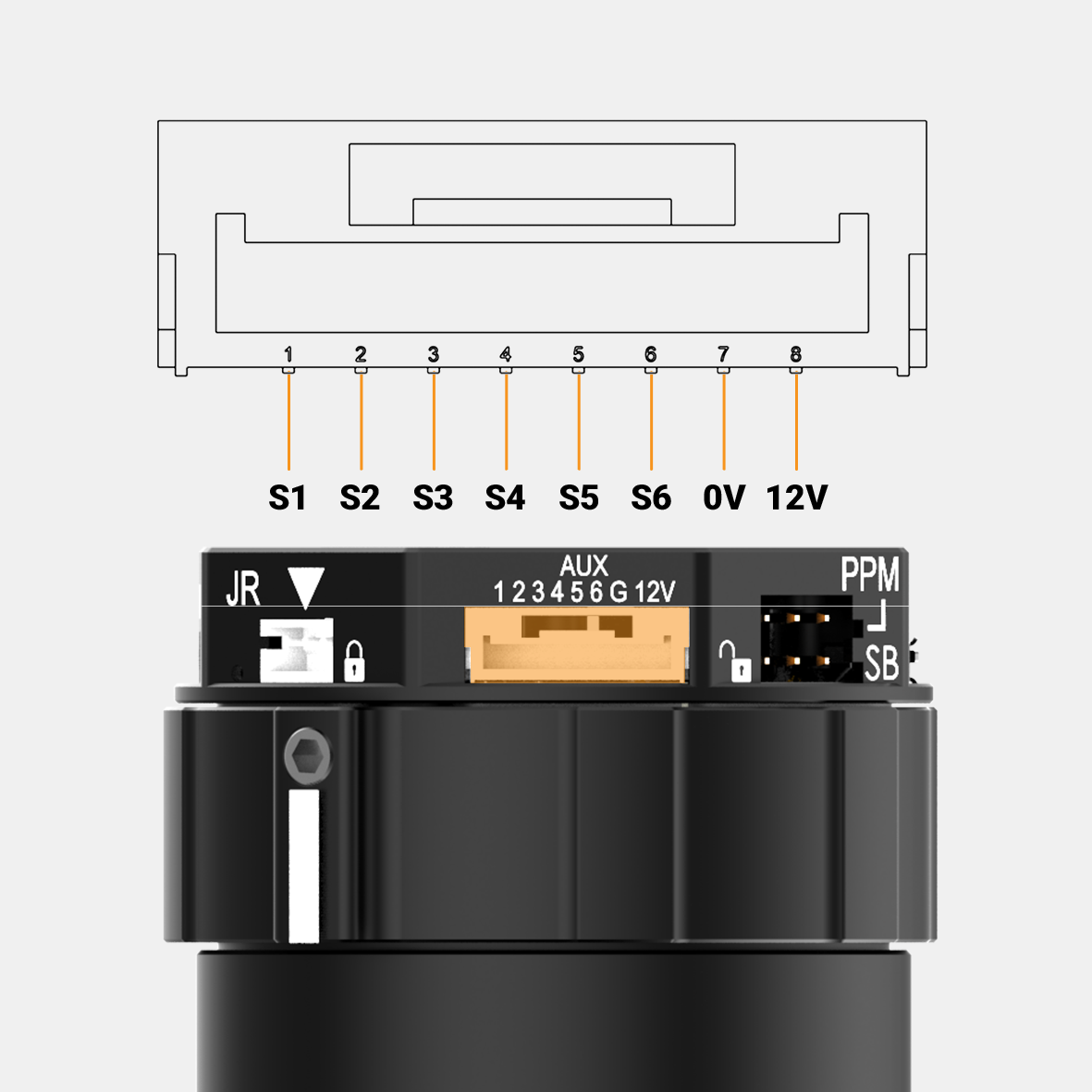
### AUX
Provide 12V output (1A max) to power camera and accessories and optional signals S1, S2, S3, S4, S5, S6 (0.25A max) for users to connect to other devices such as AV signal or camera trigger, ....This port is internally connected to AUX port on the tilt axis.

Do not apply power to AUX port at pin 7 and 8, doing so may damage the electronics of the gimbal.
Connector type: JST GHR-08V-S
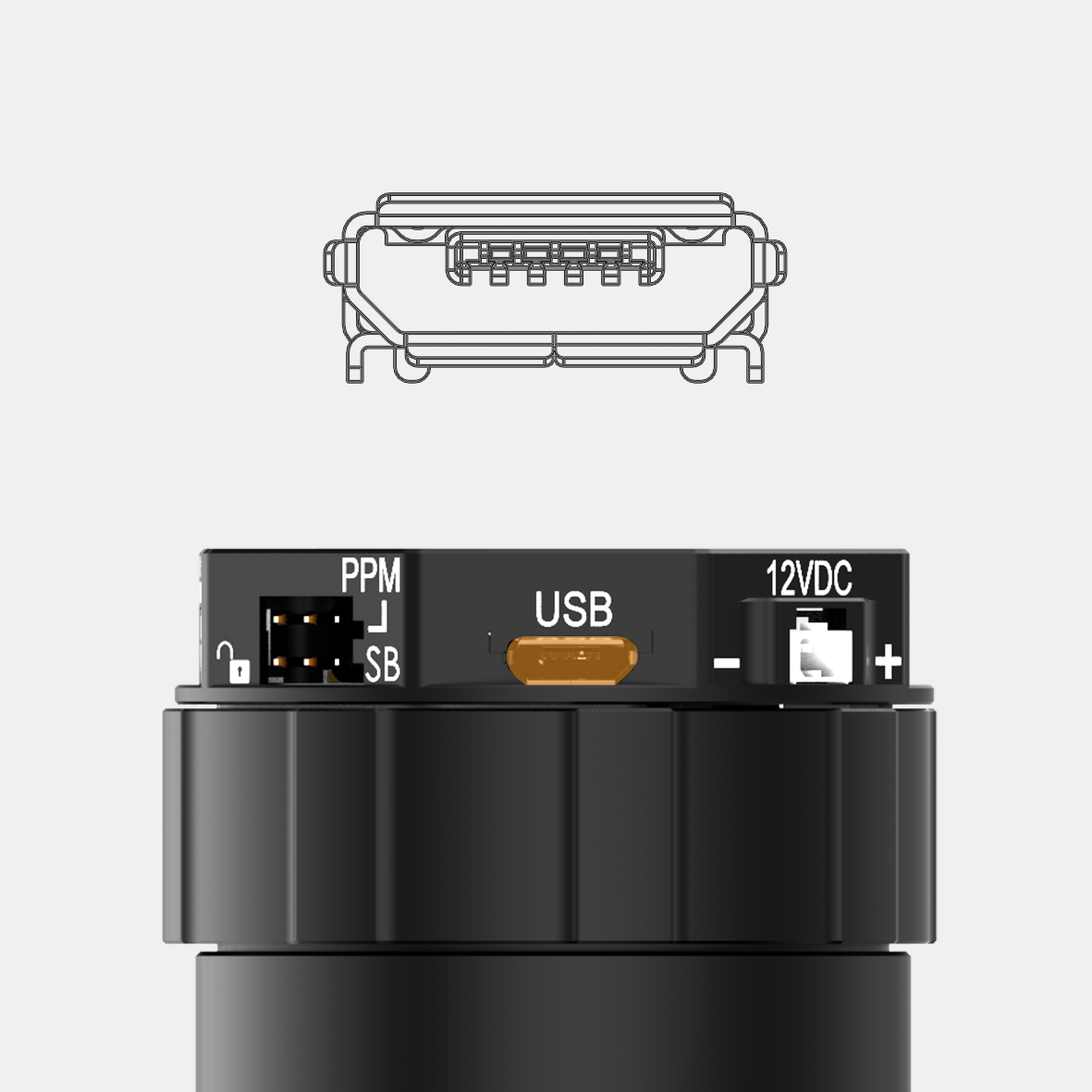
### USB
To interface with computer or upgrade firmware.
Connector type: Micro USB type B
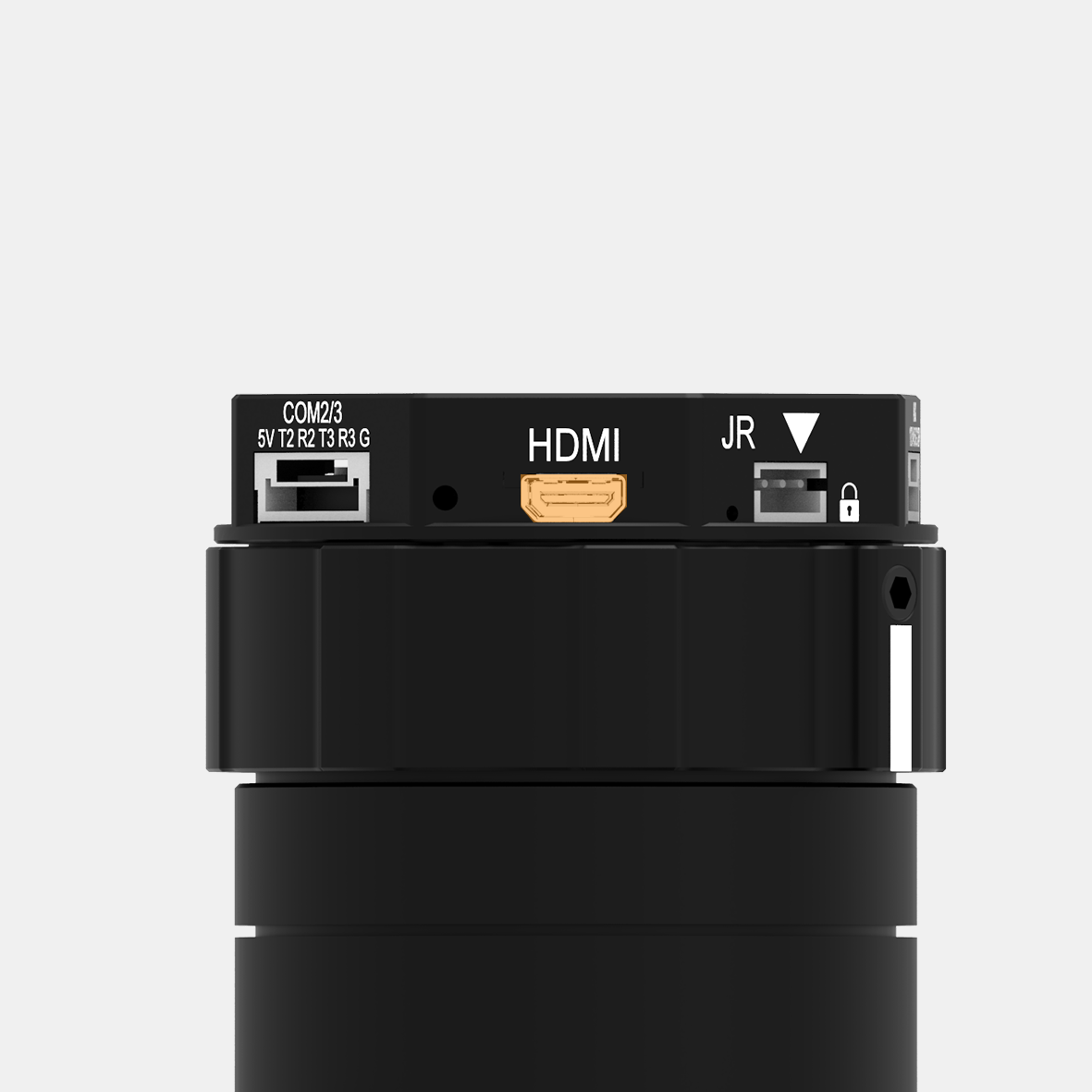
### HDMI
to output video from the camera.
Connector type: HDMI micro
---
# Agent Instructions
This documentation is published with GitBook. GitBook is the documentation platform designed so that both humans and AI agents can read, navigate, and reason over technical content effectively. Learn more at gitbook.com.
## Querying This Documentation
If you need additional information that is not directly available in this page, you can query the documentation by asking a question.
Perform an HTTP GET request on the following URL with the `ask` and `goal` query parameters:
```
GET https://docs.gremsy.com/accessories/quick-release/pixy-quick-release.md?ask=&goal=
```
`ask` is the immediate question: it should be specific, self-contained, and written in natural language.
`goal` is what the user is ultimately trying to achieve, the reason they need the answer. Sharing it helps GitBook give you a better, more relevant answer. A goal is most helpful when it describes the outcome the user wants rather than restating the question. For example, with `ask=how do I create an API token`, a goal like `automate deployments from our CI pipeline` lets GitBook tailor the answer to that use case.
The response will contain a direct answer to the question and relevant excerpts and sources from the documentation.
Use this mechanism when the answer is not explicitly present in the current page, you need clarification or additional context, or you want to retrieve related documentation sections.


